How Schools Can Track Staff Attendance and Payroll in One System — Ending the Month-End Reconciliation
Picture the 28th of the month. The accounts head has the salary sheet open in Excel. She needs to calculate LWP deductions for 4 teachers who took leave this month. The leave register is with the principal. The attendance register is with the class coordinator. She needs both to calculate one deduction. She will spend the afternoon cross-referencing three documents to process what should be a short calculation — and it happens every month. The root cause isn't complexity — it's separation.
Staff attendance and payroll aren't two different functions. They're two parts of the same calculation — and managing them separately creates a manual bridge that breaks every month-end.
Why Attendance and Payroll Are the Same Problem
Payroll is not just salary multiplication. Every payroll calculation depends on attendance data:
- How many days did each staff member work?
- How many days of which leave type were taken?
- Which absences were authorised vs unauthorised?
- Did any staff member exceed their casual leave quota?
- Were any late arrivals or early departures recorded that affect pay?
Without accurate, current attendance data, payroll cannot be calculated correctly. Yet most Indian schools treat these as separate administrative functions — attendance managed by the academic office, payroll managed by accounts — with a manual data transfer between them at month-end.
That manual transfer is where errors enter. A leave marked in the register but missed in the Excel transfer. An LWP that should have been casual leave. An absent day counted twice because two people updated separately.
That gap — not the arithmetic — is where manual payroll errors start, which is why the fix is to connect the records rather than to check the spreadsheet harder. This guide covers the attendance and leave side of that connection; for salary calculation, statutory deductions and what the 2025 labour codes changed, see our guide to school payroll software.
The 5 Ways Separated Systems Create Payroll Errors
Error Type 1: Leave type mismatch A teacher takes one day off. The leave application says medical leave. The attendance register marks it as absent. The accounts team processes it as LWP. The teacher gets an incorrect deduction. Resolution requires finding the original leave application, cross-referencing with the register, and reprocessing — 3 people, 1 hour.
Error Type 2: Visiting faculty session miscounting A music teacher conducts 14 sessions in April. The timetable shows 14. The teacher's self-reported count shows 16. The accounts team has no independent record. Whoever they believe gets paid — accuracy is a matter of trust, not data.
Error Type 3: Late arrival not reflected in pay School policy: 3 late arrivals = 1 LWP. Attendance register records late arrivals but nobody compiles them monthly. The policy exists on paper — it's never enforced because enforcement requires manual monthly compilation nobody has time to do.
Error Type 4: Leave balance miscalculation A teacher believes she has 4 casual leave days left. The register shows 2 were taken and 1 was unmarked due to a substitute arrangement. At year-end encashment, the dispute costs 2 hours to resolve and leaves the teacher unconvinced.
Error Type 5: New joiner mid-month A teacher joins on the 12th. Prorated salary calculation requires exact joining date, number of working days in that month, and applicable allowances. Done manually, errors are common — either overpayment or underpayment, both requiring awkward correction.
What Integration Between Attendance and Payroll Actually Looks Like
In an integrated system, the data flow is automatic:
Step 1: Staff Attendance Captured Daily Teachers mark their own attendance in the staff app on their phone. Late arrivals are timestamped automatically. No register, no manual entry by a coordinator.
Step 2: Leave Applications in the Same System Teacher applies for leave in the system. Principal or HOD approves or denies within the same interface. Leave type (casual, earned, medical, LWP) is recorded against the staff record — not in a separate register.
Step 3: Month-End Payroll Calculation — Automatic When payroll is processed, the system already has:
- Days present vs days absent
- Leave type for each absence
- Approved vs unauthorised absences
- Late arrival count (if policy configured)
- Visiting faculty session count from timetable records
Salary calculation happens in one click. LWP deductions calculated automatically. Prorated salaries for joiners and exits calculated based on actual joining and leaving dates. PF and ESI calculated on corrected gross — not on an estimate.
Step 4: Payslip Generated and Distributed Bulk payslips generated in one batch. Sent to staff WhatsApp or email. Each staff member receives a detailed breakdown — no phone calls asking "Why was ₹800 deducted this month?"
Leave Management — The Layer That Connects Everything
Leave management is the bridge between attendance and payroll — and it's the layer most schools manage worst.
Common leave types in Indian schools and their payroll impact:
| Leave Type | Payroll Impact | Common Management Error |
|---|---|---|
| Casual Leave | No deduction (within quota) | Quota not tracked — excess casual leave not converted to LWP |
| Medical Leave | No deduction (with certificate) | Certificate requirement not enforced consistently |
| Earned Leave | No deduction — balance carries forward or encashed | Balance miscalculated at year-end |
| Loss of Pay (LWP) | Proportional deduction | Sometimes marked as casual leave to avoid deduction |
| Maternity Leave | Statutory — no deduction | Payroll impact depends on duration and continuity rules |
An integrated system enforces leave rules consistently — the policy applies to every staff member every time, not just when someone remembers to check.
Do You Need a Biometric Device for Staff Attendance?
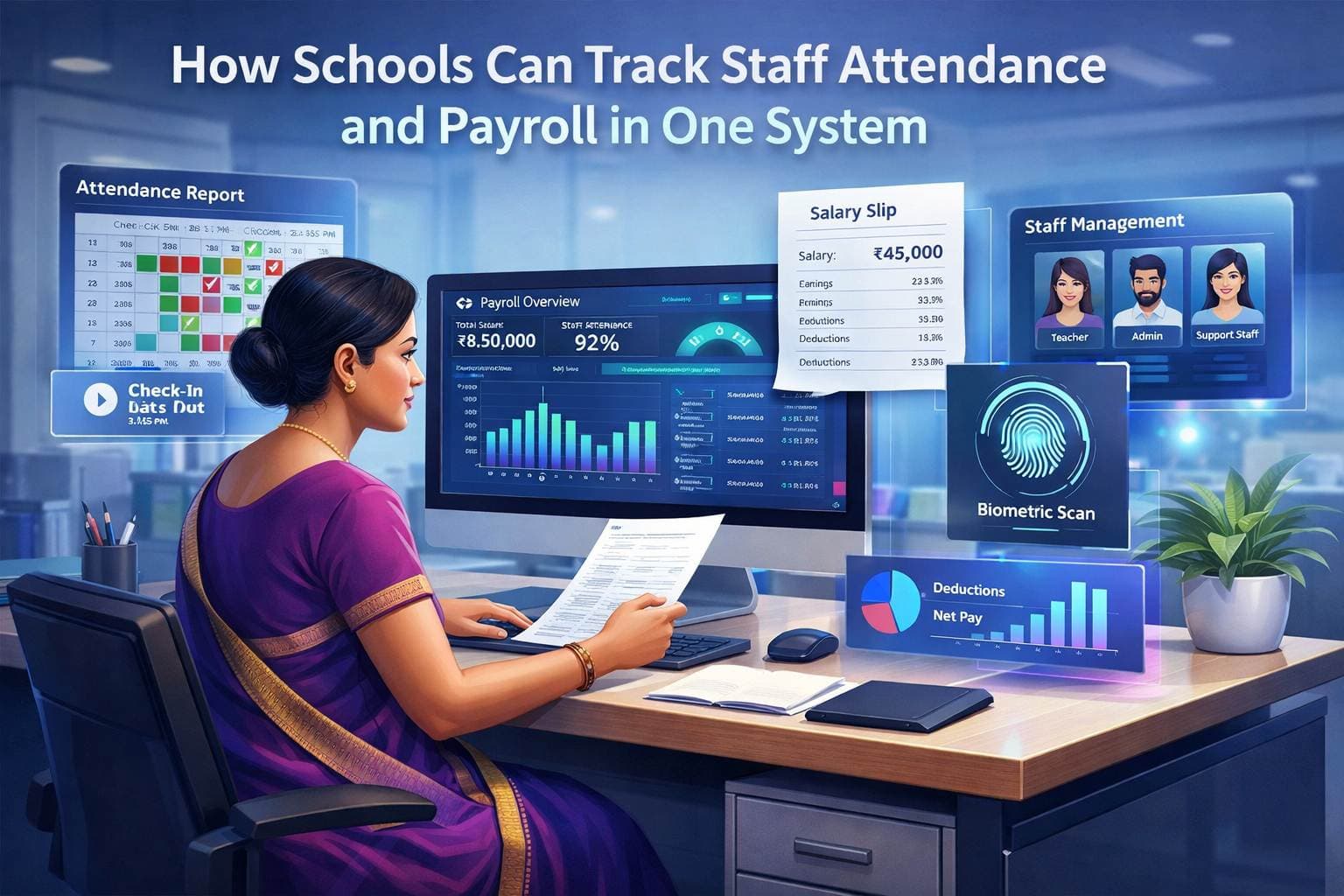
Biometric devices at the gate capture in and out times without anyone marking anything, which is why schools ask about them.
Worth the investment for: Schools with 50+ staff where manual attendance marking creates coordination overhead. Schools with chronic late arrival issues where timestamped data is needed for fair enforcement.
Probably not necessary for: Schools with 20–30 staff, where marking attendance in a staff app covers most of what is needed without the hardware cost and maintenance.
Campus 24x7 does not integrate with biometric or RFID devices: staff attendance is marked in the app, by design. If gate-level biometric logging is a firm requirement for your school, that is a separate system, and any vendor offering it should show you how its data reaches payroll without a monthly export.
Key Features of Integrated Staff Attendance and Payroll Software
1. Digital staff attendance Daily attendance captured per staff member. Late arrivals timestamped automatically.
2. Leave application and approval workflow Staff applies in system, approver notified instantly. Leave type, dates, and approval all recorded in one place.
3. Leave balance tracking Quota management for all leave types. Running balance visible to staff and admin at all times.
4. Automatic LWP calculation Unauthorised absences and excess casual leave converted to LWP automatically. No manual identification and deduction.
5. Visiting faculty session tracking Sessions linked to timetable records. Payout calculated on verified session count — not self-reported.
6. Payroll calculation from attendance data Salary calculated with attendance data as input — no manual bridge between systems.
7. PF, ESI, and TDS on corrected gross Statutory deductions calculated on salary that already reflects attendance-based adjustments — not on the pre-deduction gross.
8. Bulk payslip generation and digital distribution All payslips generated in one click. Distributed via WhatsApp or email. Historical payslips accessible to staff anytime.
How Campus 24x7 Handles Staff Attendance and Payroll
Campus 24x7 keeps staff attendance and its payroll management system in the same product, on the same staff records. Staff are marked present, absent, late, on half-day or on leave each day, and any change to a past day is a correction with a recorded reason. Payroll then generates each month's payslips from the teacher's salary structure, with EPF, ESI, professional tax and TDS. Attendance does not deduct salary automatically: if a day is unpaid, record the deduction on the payroll profile before generating the month.
For a broader overview of school payroll complexity, see our guide on school payroll software. In our school ERP software in India, staff attendance is marked in the app — there is no biometric or RFID integration — and payroll is included from the Growth plan, as shown on the pricing page. If you handle collections instead, check out our fee management system. And if you just need attendance capabilities, look at our attendance management system.
See staff attendance and payroll in a demo →
Frequently Asked Questions
Q1: Can staff mark their own attendance from their phones? Not in Campus 24x7. Staff attendance is an office task: an admin, sub admin, principal or vice principal marks teaching and non-teaching staff as present, absent, late, on half-day or on leave, and can mark everyone present in one tap before changing the exceptions.
Q2: What happens if a staff member forgets to mark attendance one day? An admin or principal marks that day afterwards. Changing a past day is treated as a correction: each change needs a reason, which is stored with the record, and "mark all present" is switched off for past dates so a whole day can't be overwritten by accident.
Q3: Does the system handle different leave rules for teaching vs non-teaching staff? Not automatically in Campus 24x7. Leave is recorded as a daily status, but there are no leave quotas or role-based leave policies, and payroll does not deduct leave on its own — record any deduction on the payroll profile before generating the month. The same rigour applies to operational teams outside the classroom — many schools centralise transport staff and driver management so licence, PUC, and fitness renewals stay visible next to HR records.
Q4: Do we need biometric hardware? No. Campus 24x7 does not use biometric or RFID devices; attendance is marked in the app by the school office, so there is no hardware to buy or maintain. If your school already has a biometric device at the gate, it will keep recording entry, but that data does not flow into Campus 24x7.