School Fee Collection Software in India: Online, Counter and Reconciled
Picture the day after the fee due date at a 600-student school. The accountant has three piles on her desk: cash to count, cheques to deposit, and a list of 140 students whose payments are "unconfirmed". Some parents paid through a payment link shared on WhatsApp, but the bank statement shows only amounts and transaction IDs, so matching each payment to a student means going line by line through the statement against the register. It will take her the rest of the week, and next month it will happen again.
That is the real job of school fee collection software. Taking money is easy — any payment link does that. The hard part is knowing, the moment money arrives, which student it belongs to and what it pays for. This guide explains how that works, what to check before you buy, and the charges and options most guides leave out.
How Indian Schools Collect Fees Today
Most schools run several collection methods at once, not by design but because each was added when the previous one was not enough:
Cash at the counter. The parent pays, a receipt is written by hand, and the cash is counted daily and banked when someone has time. Simple, but every rupee depends on one person's arithmetic and one receipt book.
Cheques. They take days to clear, and some bounce. Schools that issue a receipt before clearance are recording money they may not receive.
Bank transfers (NEFT/IMPS). The parent transfers directly and the school receives an amount with, at best, a name in the remarks field. Someone has to work out whose payment it was.
Standalone payment links. Generic gateway links spread quickly after 2020. They collect money, but unless the parent types the student's details correctly — and many do not — the school is back to matching amounts against names.
Four methods, four reconciliation processes, and no single answer to "what does this student owe right now?"
What a Fee Register Records — and Where It Breaks
Whether on paper or in Excel, a fee collection register records the same things for every payment: receipt number, date, student name, admission number, class and section, fee head (tuition, transport, exam), amount, payment mode, and the balance left. A register kept carefully is a perfectly sound record.
It breaks in three predictable places. It cannot tell you a student's balance without adding up every earlier line. It cannot match a bank transfer to a student on its own. And it exists in one copy, so the principal sees collection figures only when the accountant compiles them. Fee collection software keeps the same columns but fills them in automatically at the moment of payment, for every mode, and keeps a running balance per student. For how fee heads, instalments and discounts are set up in the first place, see our guide to setting up a fee structure in ERP.
What Integrated Fee Collection Software Does
The word that matters is integrated. Collection software that is not connected to student records and the fee structure is just one more payment tool adding to the reconciliation pile. For the whole module rather than the collection step, see the school fee management system guide.
Fee demands are generated from the fee structure. Each student's amount, fee heads and due dates come from the configured structure at the start of each instalment period, instead of being written out by hand.
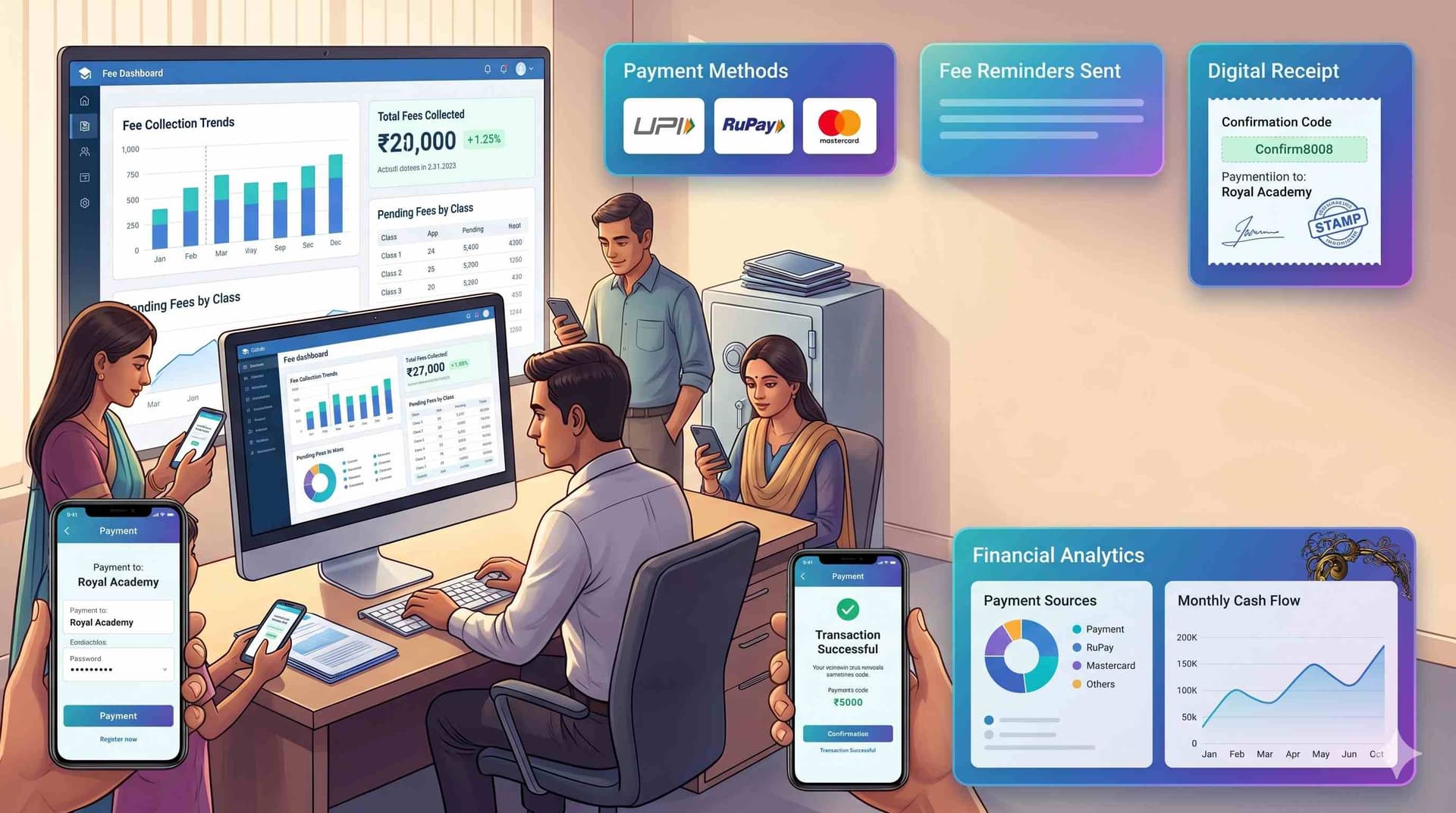
Online payments arrive already matched. A parent pays by UPI, card or net banking against their own child's demand, so the payment lands on that student's ledger without anyone checking a bank statement.
Counter payments go into the same ledger. Cash paid at the counter is entered by the cashier and a receipt is issued at once, so online and offline payments sit side by side in one record.
Receipts are issued on payment. A numbered, dated, itemised receipt reaches the parent's phone immediately, which ends most "I already paid" disputes because both sides hold the same record.
Collection is visible daily. A daily summary — collected, by mode, by class, and outstanding — is available to the accounts head and principal without anyone compiling it.
Online Fee Collection: Three Common Mistakes
1. A payment link that does not know the student. A generic link collects money but leaves the school to identify the payer afterwards. Every online payment should be made against a specific student's demand.
2. Online for tuition, cash for everything else. If transport, exam and activity fees still need a visit to the counter, parents still visit the counter. Every fee head should be payable the same way.
3. No receipt, or a paper one. A payment without an instant digital receipt invites disputes months later, when nobody can find the slip.
What Online Collection Actually Costs
Somebody pays the payment gateway for every online payment. Before choosing software, find out three things:
- The rate per payment method. Cards and net banking commonly carry charges in the region of 1.5% to 2%, while UPI is often priced lower. Rates differ by gateway, so ask for each method separately rather than accepting a single headline figure.
- Who pays it. The school can absorb the charge, pass it to parents as a convenience fee, or have it bundled into the software price. Each choice affects how parents feel about paying online, so decide deliberately.
- When the money settles. Gateways settle to the school's bank account on a schedule, not instantly. Know how many days it takes before you plan salaries around online collections.
At card-like rates, a school collecting ₹2 crore a year online would pay ₹3–4 lakh in charges, so steering parents towards cheaper methods matters. Our school ERP price guide covers gateway charges alongside the other costs quotes tend to leave out.
School Fee Loans and EMIs
Some parents search for ways to spread a large annual fee, and several lenders in India offer school-fee loans or EMI plans: the lender pays the school, and the parent repays in monthly instalments. Card EMIs offered through a payment gateway work in a similar way.
If your school considers partnering with one, check three things. Who bears the interest cost — the parent, or the school through a subsidy? Is the lender a bank or an RBI-registered NBFC? And what student and parent data the lender receives, since sharing it requires the parent's consent under the Digital Personal Data Protection Act, 2023. A school's own instalment plan, with due dates after common salary dates, is often a simpler alternative; our guide to reducing fee defaults covers how to design one.
Key Features to Look For
- Payments made against a specific student's demand, for every online mode.
- UPI, card and net banking online, plus cash and cheque at the counter, all recorded in one ledger.
- Numbered, itemised receipts issued automatically on payment.
- A running balance per student — paid, due and overdue — in one view.
- A daily collection summary by mode, class and fee head, available without manual compilation.
- Automated reminders with a payment link in the message; see our guide to reducing fee collection delays for a reminder schedule that works.
- Instalments, concessions, sibling discounts and late fees configured once.
- A defaulter list sorted by how overdue each amount is, because a 60-day arrear and a 3-day one need different handling.
Six Questions to Ask Any Vendor
- When a parent pays online, how does the payment reach the right student — and what happens if they pay the wrong amount?
- How is a cash payment at the counter recorded, and how quickly does it show in the same ledger?
- How are cheques recorded until they clear, and what happens when one bounces?
- How are partial payments handled — recorded with a balance, or rejected?
- If money leaves a parent's account but the payment shows as failed, who reconciles it and how long does it take?
- What does your gateway charge per payment method, and when does money settle to our account?
Ask to see each answer on a test transaction, not a slide.
How Campus 24x7 Handles Fee Collection
Campus 24x7's fee management system treats collection and reconciliation as one workflow:
- Online payments by UPI, card and net banking are matched to student accounts automatically, and cash payments are entered by the cashier with a receipt generated on the spot — online and offline in the same ledger.
- Receipts are generated automatically and sent to the parent's phone on payment, with GST-compliant invoicing available.
- Reminders go out on a schedule through the parent app, SMS and email, each with a payment link.
- Daily collection summaries and weekly defaulter reports can be emailed to the principal and trustees.
- Instalments, late fees, sibling discounts, scholarships and concessions, including RTE concessions, are configured in the fee structure.
- Prior payments can be recorded on the day a student joins — imported or entered manually — so a mid-year admission's ledger starts correct.
Two things to know before a demo. Online fee collection is included from the Growth plan (₹4,999 a month, up to 1,000 students); the Foundation plan covers fee collection and receipts at the counter. And UPI AutoPay mandates for recurring fees are not supported today: parents receive a reminder with a payment link for each instalment instead. Bring your questions about partial payments and cheque handling to the demo and we will show you on a test transaction. Every plan's first two months cost ₹0 — see the pricing page.
See Campus 24x7 fee collection on your own fee structure →
Frequently Asked Questions
What is school fee collection software?
Software that records every fee payment — online or at the counter — against the right student and fee head as it happens, issues a receipt, and keeps a running balance for each student. Its main value is reconciliation: the school always knows who has paid what without matching bank statements by hand.
Can parents pay school fees in instalments online?
Yes, if the fee structure defines instalments. The parent sees and pays the current instalment, and the ledger tracks each instalment's status. How instalments are set up is covered in our fee structure setup guide.
What happens if an online payment fails but money is debited?
The payment should not be marked as received until the gateway confirms it. When money leaves a parent's account but the payment shows as failed, it is normally either completed or refunded through the gateway and the bank. Ask any vendor exactly how these cases are reconciled and how long they take, and test one during the trial.
Does Campus 24x7 support UPI AutoPay for recurring fees?
Not today. Parents pay by UPI, card or net banking through a payment link sent with each instalment reminder.
How much does it cost to collect fees online?
Two costs: the software itself, and the payment gateway's charge on each transaction. Gateway charges vary by method — cards and net banking commonly cost more than UPI — so ask for the rate per method and decide in advance whether the school or the parent pays it.
Should a school keep a fee register if it uses software?
The software is the register: every receipt, payment mode and balance is recorded automatically and can be exported for audit. What changes is that the register is always current and does not depend on one person's handwriting.