Best Student Information Systems for Schools in India (2026)
Picture the vice-principal of a 1,200-student school with three vendor demos booked this week and one question no salesperson answers directly: "When a student leaves in March, how fast can I produce an accurate transfer certificate — and where exactly does that data come from?" Every platform looks good in a slideshow. The differences show up in the unglamorous parts: data migration, UDISE+ and APAAR records, who can see what, and what happens to ten years of records when a class teacher resigns.
This guide is built around those parts. It sets out what a student information system has to handle in an Indian school in 2026, how to test it in a demo, and what the main vendors actually publish about themselves — cited, and without characterising anyone's product beyond what can be sourced.
If you are still deciding what a student information system is and what it should cover, start with our explainer on the student information management system. This article assumes the concept and focuses on choosing one.
What a Student Information System Does
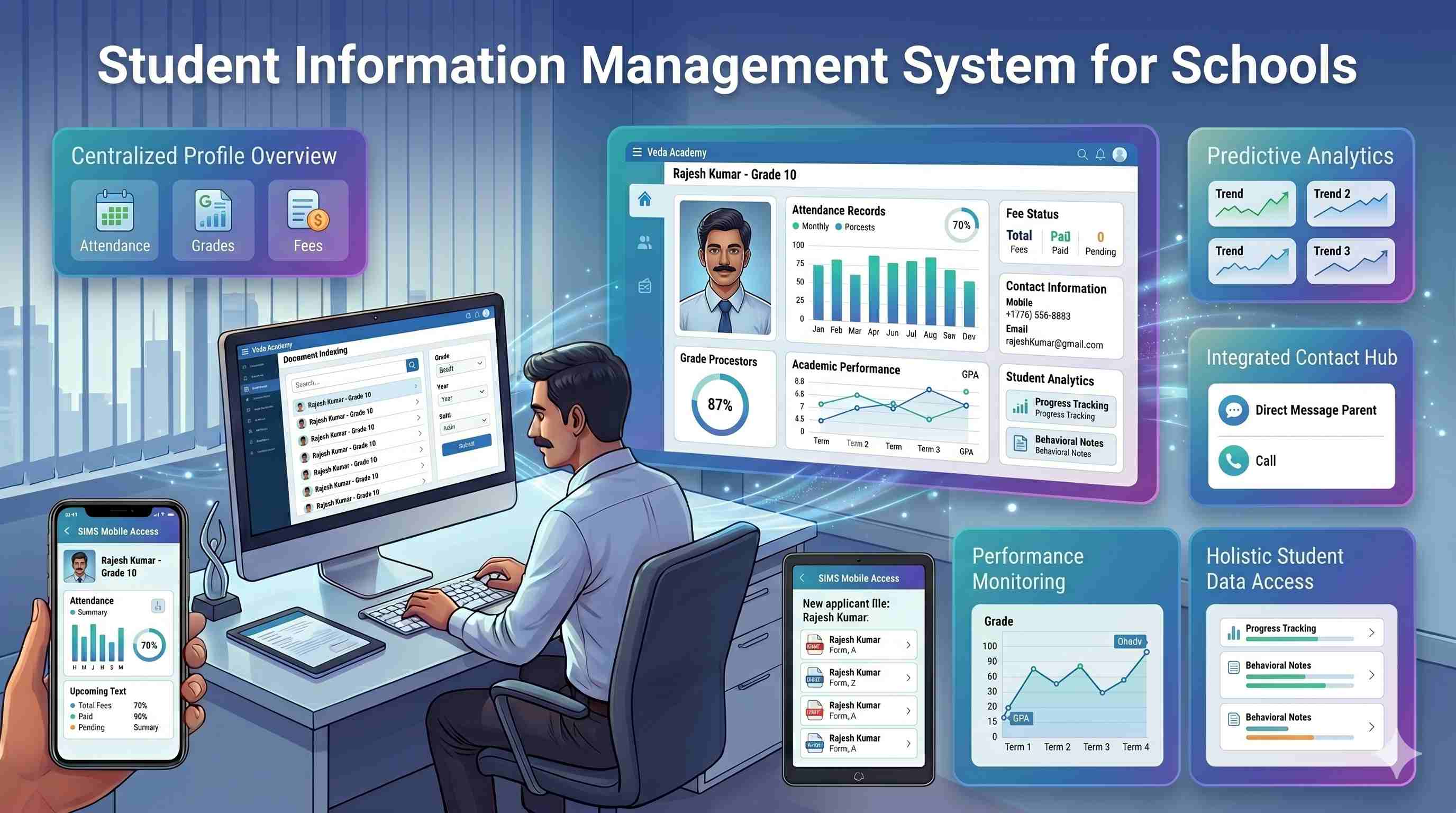
A student information system (SIS) is the single record that follows each student from admission to leaving: personal and family details, identifiers, academic history, attendance, fees, documents and communication. Any authorised staff member should be able to pull an accurate, complete profile in seconds rather than reconciling registers.
The best SIS for your school is the one that models Indian requirements — board formats, UDISE+, APAAR, sibling links, DPDP consent — and shares its record with the workflows you run every day, instead of becoming one more silo to keep in sync.
The Indian Requirements That Separate SIS Products in 2026
APAAR IDs and UDISE+ PEN
APAAR — the Automated Permanent Academic Account Registry, often called "One Nation, One Student ID" — has turned student records from an internal matter into one that must match a national system. Schools generate APAAR IDs through the APAAR module on the UDISE+ portal, using the student's UDISE+ Permanent Education Number (PEN), name, date of birth, gender, mobile number, parents' names and Aadhaar details, after collecting written parental consent. CBSE asked schools to prioritise Classes 9 to 12, and in September 2025 began accepting "REFUSED" and "NOGEN" entries in board exam candidate lists for students without an APAAR ID.
The practical problem reported during the rollout is not generating IDs but mismatches: a name spelt one way in the admission register, another way on Aadhaar, and a third on the birth certificate. An SIS helps only if it stores the PEN, the APAAR ID and the consent status against each student, and lets you find every record whose name or date of birth does not match before the portal rejects it.
UDISE+ reporting
UDISE+ is the Ministry of Education's school data system, and every recognised school reports to it. The less of that return you compile by hand from separate registers, the fewer errors reach it. Ask any vendor to run a UDISE+ export on your own sample data during the trial, and check it field by field against last year's submission.
Transfer certificates and board records
A transfer certificate draws on admission details, attendance, fee clearance and the last examination. If those live in four places, every TC is a small investigation. In one shared record it is a lookup. The same applies to board registration data, which must match exactly what the board holds.
DPDP consent and access control
Student records are children's personal data. Under Section 9 of the Digital Personal Data Protection Act, 2023, processing a child's personal data requires verifiable consent from a parent, and the school — not the software vendor — remains responsible for obtaining it. Software cannot make a school compliant. What it can do is give you role-based access, so a transport coordinator does not see medical notes, audit logs showing who viewed or changed a record, and encrypted storage and backups. Ask how long audit logs are kept: 30 days and 12 months are very different when a dispute surfaces a term later.
How to Test an SIS in One Afternoon
Ask each shortlisted vendor to do five things on your data, not on a polished demo account:
- Import 20–30 of your real student records from your current spreadsheet or system, and show what failed and why.
- Generate a transfer certificate for one of them, and show which modules each field came from.
- Run a UDISE+ export and let you compare it with last year's submission.
- Show the APAAR and PEN fields, and how to list students whose name or date of birth differs from their Aadhaar record.
- Log in as a class teacher and as an accountant, and show what each can and cannot see — then show the audit log entry for what you just did.
If a vendor is strong on all five, the rest of the evaluation usually goes smoothly. If they want to show you slides instead, you have learned something too.
What the Main Vendors Publish
The vendors below are ones Indian schools commonly shortlist. Each entry states what the vendor publishes about itself or what dated public records show, checked in October 2026. We do not characterise competitors' products beyond that, because we cannot source it. For a wider list of school ERP vendors, including pricing, see our top 10 school ERP software in India.
Entab CampusCare
Entab describes CampusCare as a school ERP and student information system, on its own site, with modules for admissions, fees and accounting, examinations and holistic assessment, attendance and transport, and HR and payroll, and explicit NEP 2020 support including Holistic Progress Cards. Entab's site states a figure of 2,500+ schools across India and 25+ years of focus on school education; these are Entab's own figures. Pricing is not published.
Fedena
Fedena is the one widely shortlisted vendor that publishes its prices. Its pricing page lists Standard at ₹50,000, Premium at ₹75,000 and Ultimate at ₹1,00,000 a year plus GST, with a 14-day free trial, and states that its basic version is open source and free. That makes it unusually easy to test before any sales conversation.
PowerSchool
PowerSchool is a global education software company whose SIS is its best-known product. Its Indian presence comes largely from its acquisition of Chennai-based Neverskip, announced in September 2023, which at the time served 900+ schools and around 1.2 million students by PowerSchool's own announcement. Pricing for India is not published. Ask which product you would actually be using — the global PowerSchool SIS or the Neverskip-derived platform.
Teachmint (including MyClassCampus)
Teachmint acquired the school ERP MyClassCampus in a deal announced on 28 January 2022, and myclasscampus.com now redirects to teachmint.com. Teachmint's homepage currently leads with classroom technology — the Teachmint X digital board and AI teaching tools — and does not describe student information, fee or admission modules. If you are shortlisting either name as an SIS, ask specifically which ERP product is on offer today and how it relates to the former MyClassCampus platform. Pricing is not published.
Campus 24x7
Our own platform, listed last so you can discount it as you see fit. The student record is the central object: admissions, attendance, fees, exams and communication read from and write to the same profile, so a confirmed admission becomes a student record with no re-entry. Student history, year-end promotion and transfer certificates are part of the platform, along with UDISE+ data export, role-based access, encrypted storage and backups, and data import and export on every plan. Audit logs are kept for 30 days on Foundation, 90 days on Growth and one year on Scale.
What we do not do is collect parental consent on the school's behalf: as with any SIS, consent remains the school's responsibility, and our role is to keep the records that let you show it. We are a younger and smaller vendor than Entab or PowerSchool, and for a large group with complex legacy requirements they are the more established choice. Plans start at ₹2,999 a month for up to 500 students, with the first two months at ₹0 — see the pricing page.
Matching a Vendor to Your Situation
Rather than ranking vendors on criteria we cannot verify, here is how the published facts map to common situations:
- You want to know the price before talking to anyone: Fedena and Campus 24x7 publish full pricing. The school ERP price guide explains how to compare quotes from vendors that do not.
- You want to start free and have someone technical in-house: Fedena's open-source edition.
- You want the longest track record with an India-only vendor: Entab, by its own account of 25+ years.
- You run an international school and want a global SIS: PowerSchool — confirm which product applies in India.
- You already use Teachmint classroom hardware: ask Teachmint about its ERP product directly.
- You want one record shared across admissions, fees, attendance and exams, with published pricing: that is what Campus 24x7 is built for.
Migration: Where SIS Projects Succeed or Stall
The demo rarely fails. The migration does. Before you sign:
- Clean the data before moving it. Duplicate admission numbers, students who left two sessions ago still marked active, and parent phone numbers in three formats will all import faithfully — and then cause problems in every module.
- Fix names and dates of birth against Aadhaar and the birth certificate during migration, not after. With APAAR in play, this is the single most valuable cleanup you can do.
- Run one parallel cycle. Keep the old process for a month and compare outputs — a TC, a class list, a UDISE+ export — against the new system.
- Agree roles up front: who sees what, and confirm audit logging is on from the first day.
- Tell parents before they hear from the system. A short WhatsApp message explaining the parent app avoids a week of "is this genuine?" calls.
The school ERP implementation checklist covers the full rollout sequence, and how to choose school ERP software covers the wider evaluation if the SIS is part of a bigger platform decision.
How an SIS Connects to Everything Else
An SIS earns its keep when other modules write back to it automatically: attendance marked in class appears on the student's record, fee payments on the student's ledger, results on the academic history. Check that the attendance management system and fee management system you are considering share the same record rather than syncing copies. The upstream half of the lifecycle — applications, documents and merit lists — is covered in our guide to online admission management. For colleges, the same structured-record discipline underpins NAAC accreditation data.
See how Campus 24x7 keeps one record per student →
Frequently Asked Questions
What is the best student information system for schools in India?
There is no single best. The right choice depends on your size, board, budget and in-house technical capacity. Shortlist two or three, and have each one import your own records, produce a transfer certificate, run a UDISE+ export and show APAAR fields during the trial. Choose on how those go, not on the slideshow.
What is the difference between a student information system and a school ERP?
A student information system manages the student record. A school ERP is broader, adding fees, HR, payroll, transport and reporting. Most Indian platforms, including Campus 24x7, deliver the SIS as the core of a full ERP, so you rarely buy one without the other.
Does a student information system need to store APAAR IDs?
It should. APAAR IDs are generated on the UDISE+ portal from the student's PEN and Aadhaar-matched details after written parental consent, and CBSE uses them in board exam candidate lists. An SIS that stores the PEN, APAAR ID and consent status against each student, and flags name or date-of-birth mismatches, saves a great deal of correction work later.
Will a student information system help with UDISE+ reporting?
Yes, if the data it holds is clean and it can export in the format your submission needs. Test it on your own records during the trial and compare the export field by field with last year's return.
Is a student information system DPDP compliant?
Software cannot make a school compliant on its own. Under the DPDP Act the school is responsible for obtaining verifiable parental consent for children's data. A good SIS supports compliance with role-based access, audit logs, encrypted storage and an export of everything held about a student when a parent asks.
How much does a student information system cost?
Most Indian vendors sell the SIS as part of a school ERP and do not publish prices. Fedena publishes ₹50,000–₹1,00,000 a year plus GST, and Campus 24x7 starts at ₹2,999 a month. Our price guide gives the per-student bands the market charges by school size.
How long does it take to migrate student data?
It depends on the condition of your records far more than on the software. Clean, consistent data moves quickly; several inconsistent spreadsheets do not. Test a small sample import, fix names and dates of birth against Aadhaar during migration, and run one parallel cycle before retiring the old process.
Sources
Vendor statements were checked on each vendor's own website or in dated public coverage in October 2026:
- Entab school ERP software — product scope, modules, school count and years active, as stated by Entab
- Fedena pricing and plans — prices, trial and open-source edition
- PowerSchool's acquisition of Neverskip, announced September 2023 — school and student figures as stated at announcement
- Teachmint's acquisition of MyClassCampus, announced 28 January 2022; teachmint.com homepage and the myclasscampus.com redirect, checked October 2026
- APAAR ID process and CBSE guidance — CBSE circulars and school notices on APAAR consent and generation, including CBSE's September 2025 decision on "REFUSED" and "NOGEN" entries
If anything here is out of date, tell us and we will correct it with a citation.